
Manufacturing ERP + MES for growing factories
One system from order to dispatch.
Plan production, run the shop floor, manage inventory, track quality and know your cost per order, in one practical system.
- Sales order
- Planning
- Materials
- Production
- Quality
- Dispatch
- Costing
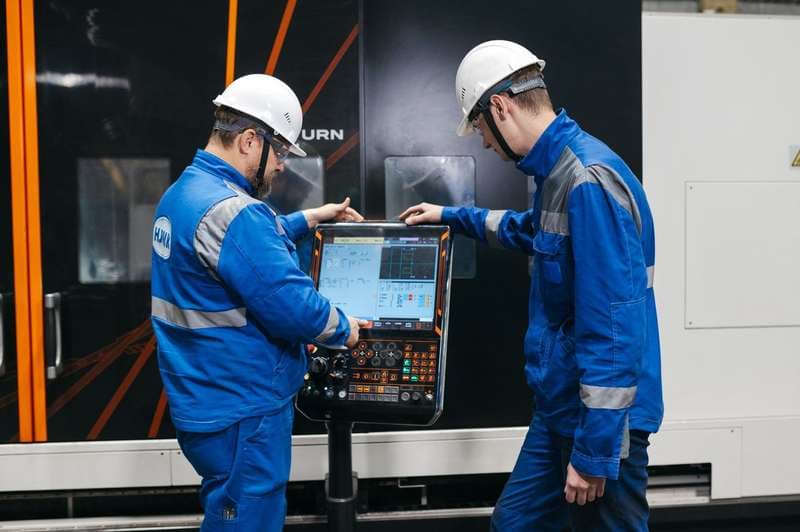
The supervisor's shift board. Operators log every count on their phones as they work.
Running real factory floors today
- VK Garments
- VSTAN Industries
- King Garments
- SMX Enterprises
- factories live
- 4
- first production line live
- 18 days
The problems every plant carries
Whatever the plant makes, the root is the same: the floor and the office keep separate records.
Disconnected systems
Planning, stock, production and accounts live in four places. Every handover between them is typed by hand, and every reconciliation finds a difference.
Poor floor visibility
Management learns a work centre fell behind at the end of the shift, from a register or a phone call. By then the delivery date has already moved.
Manual production tracking
Work order status, quantities and rejections are written on sheets and typed in later. The data is late, incomplete and nobody's name is on it.
Inventory that does not match
The system says 1,480 metres, the rack has 900. Shortages are discovered at the machine, and subcontracted material comes back short without anyone noticing.
Why FleekERP
Why not Odoo, Zoho or spreadsheets?
Keep your accounting system for the books. It was never built to run a production floor, and a generic ERP starts in the office and rarely reaches the operator. FleekERP starts at the station.
See the full comparison- 1
Manufacturing first
Built around work orders, routings, lots and stations, the things a plant actually runs on.
- 2
Your first line live in 18 days
One line goes live on agreed scope, then the rest of the plant. A typical ERP project takes 6 to 18 months.
What the 18 days include - 3
Operators actually use it
Four actions per role, on the Android phones they already carry. The data comes from the floor, not from a register typed up later.
- 4
Practical cost
From S$8 an employee and S$38 a user a month on the annual term. No plant fee, no feature tiers.
See pricing - 5
Built to a global standard
Lot traceability, inspection at the operation, subcontracting and cost per order, the way manufacturers work in any country. Your books stay in your own accounting system, connected by sync or API.
How FleekERP works
The complete business loop, on one record
ERP runs the office, MES runs the floor. Each step is recorded by the person who does it, and the next step reads it.
- ERPOffice: orders, stores, dispatch, cost
- MESFloor: production, quality, finished goods
- SyncBooks stay in your accounting system
- 01ERPSales orderQuantity, variant, date and customer terms
- 02ERPPlanningWork orders against real work-centre capacity
- 03ERPPurchase and storesShortages shown early, receipts by supplier lot
- 04MESProductionCounts, scrap and downtime logged at the station
- 05MESQualityInspection at the operation, rework with a name on it
- 06ERPSubcontractingJob work out on a challan, returns checked against it
- 07MESFinished goodsReceived by lot, ready against each order
- 08ERPDispatch and invoicePicked by lot, invoice raised from the pick
- 09ERPCost per orderMaterial, labour and job work, closed per order
- 10SyncAccountsPurchases, sales and stock values sync to your accounting system
Product
Every order, material, operation and finished product, connected
ERP for the office and MES for the floor, reading and writing the same record.
Shop floor apps
Every floor record starts here
Where the live data comes from. Three roles, three simple screens, on ordinary Android phones.
- Add count, log scrap and downtime against the operation
- Sees the target rate and the next inspection gate
- Complete operation hands the batch to the next station
- Hourly output per station with the reason for a slow one
- Reassigns operators and closes downtime with a cause
- Sees the work centre fall behind at 11, not at 5
- Inspection plan on the operation with measured values
- Pass, fail, rework, with photo, operator and batch attached
- A failed check holds the batch until it is dispositioned
- Add count, log scrap and downtime against the operation
- Sees the target rate and the next inspection gate
- Complete operation hands the batch to the next station
Industries
Fits how your factory actually works
Built for growing factories, configured for your sector. Each industry page maps your stages, in your words, to the screens that run them.
Explore industries- Engineering and machineryJob-based production, drawing release, machine load, subcontracted operations and delivery commitments.
- Automotive componentsCustomer schedules to work orders, in-process dimensional checks, lot genealogy per part for customer audits.
- Electronics and wiring harnessLive customer deploymentsComponent lot to serial linkage, test results per unit, OEM audit trace in minutes.
- Industrial equipmentLong-cycle builds with sub-assemblies, stage-by-stage progress and outsourced work visible in one place.
- Garments and textilesLive customer deploymentsBundle tracking, size and colour ratio, embroidery and washing job work, buyer deadlines.
- Plastics and mouldingCycle and cavity counts, resin lot genealogy, mould changeover as a planned operation.
- Metal processingCoil and plate by heat number, input-to-output yield per batch, and scrap accounted for by reason.
- Furniture and woodworkA cutting list across open orders, board yield per sheet, finishing batches and assembly against the BOM.
- Packaging and printingSubstrate by reel lot, makeready split from running waste, artwork revision on the job and cost per client.
- Food processingIngredient lots with expiry, parameters per batch, shelf life on the finished lot and a one-search recall.
- Medical devices and precision partsLot-to-unit linkage, inspection results with the operator and instrument, and a batch record built as it runs.
Measured on real floors
Read the case studies- 60%less planning timeVSTAN Industries
- < 3 minfull lot trace for an OEM auditSMX Enterprises
- 0missed buyer deadlines since go-liveVK Garments
“I thought my operators would never use a phone for this. Within a week the line counts were coming in on their own, and I stopped walking to the floor ten times a shift. Now I see all three lines from my phone, even sitting across from a buyer.”
- Security by design Hosted on AWS. Encrypted at rest, backed up daily, and built to align with GDPR and OWASP Top 10.
- Works with your systems Ready-made Tally and Zoho sync, and an API for any other ERP or accounting system.
- A published method Scope, prerequisites and what live means, written down and agreed up front.
- Support that stays 30 days of hypercare after go-live, then support Monday to Saturday, 9 am to 7 pm IST.
Next step
See FleekERP on your production flow
Bring your routings, quality checks and current accounting setup. Here is exactly what happens after you book.
- 1Demo on your flow45 minutes, with your operations and quality checks on the screens.
- 2Process mappingWe walk your floor, agree the first line and write down the scope.
- 3Pilot line set upProducts, BOMs, routings and opening stock loaded, in your words.
- 4Training at the stationOperators, supervisors and QC, one session each.
- 5First line live by day 18The pilot line runs without paper. Registers off.
- 6Rollout and supportThe rest of the plant, then 30 days of hypercare.