
Fabrication & Machining · ERP guide
ERP software for fabrication and machine shops: what a job shop system has to manage
A job shop runs on drawings, routings, machine hours and work that goes out to vendors. This is what an ERP has to manage in that kind of shop, job by job, and where a stock-and-invoice system leaves the floor out.
By Nexfloe · · 9 min read
- Industry:
- Fabrication & Machining
- Article type:
- ERP guide
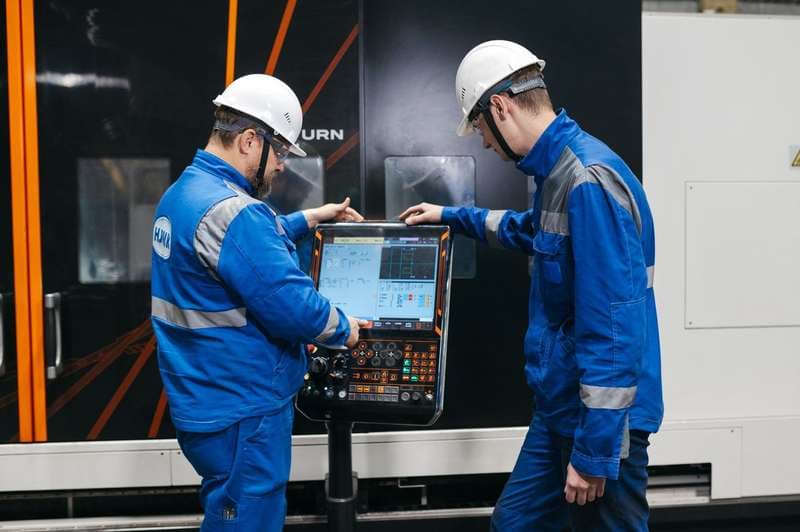
A machine shop does not sell a catalogue. It sells capacity on its machines and the skill to turn a customer's drawing into parts, usually in small batches, often once. Every job brings its own drawing, its own material, its own sequence of operations, and a delivery date that the customer remembers better than anyone in the shop.
This guide covers what a system has to manage in that kind of shop: from the drawing on the order to the cost of the job after dispatch. It is written for owners, plant heads and planners in CNC machining shops, fabrication units and general engineering job shops.
Quick answer
ERP software for a fabrication or machine shop runs each customer job as a work order with its own drawing revision and routing. It loads operations onto machines by hours, issues bar and plate by heat number, records setup, counts, scrap and first-off checks at the machine, follows plating, heat treatment and grinding through the vendor challan, and adds machine hours, vendor charges and material into the actual cost of each job.
Why job shops need a manufacturing ERP
Most small ERP and accounting packages are built for a trading business: buy an item, stock it, sell it, invoice it. A job shop does not work that way. The thing being sold does not exist until it is made, the route it takes is decided per job, and the cost depends on how long it sat on which machine, how many setups it needed and what the heat treater charged.
None of that is visible to a stock-and-invoice system. So the shop ends up with the accounting package for the office and a whiteboard, a register and the planner's memory for the floor. The questions that matter (which job will be late, which machine is overloaded next week, what this job actually cost) are answered from the whiteboard, if at all.
Common challenges in fabrication and machining
- Drawing revisions get mixed up. The customer sends revision C, the setter is still working from a print of revision B, and the parts are made to the wrong size.
- Machine load is a guess. One VMC has a queue of six jobs while the lathe next to it waits, and nobody sees it until a delivery is missed.
- Late jobs are found late. The job is discovered to be behind when the customer calls, not when the operation that caused it started running slow.
- Material loses its heat number. Bar is cut into blanks, the offcut goes back to the rack, and the link to the mill certificate is gone.
- Work at vendors is out of sight. Parts go for plating, hardening or grinding on a challan and nobody can say exactly how many are out, where, or since when.
- Job cost is known roughly. Setup time, rework and vendor charges are not added up per job, so a shop can be busy all year and still not know which customers make it money.
What should a fabrication and machining ERP system include?
The list follows a job from the order to the cost sheet. Each part should sit on the job's own record, not in a separate tool.
Job orders with the drawing revision
Each sales order carries the customer's drawing number, its revision, the quantity and the delivery date. When the job is released, the revision is fixed on the work order, so a new revision next week does not quietly change a job already on the machines. For assemblies made in the shop, a BOM lists the machined and bought-out parts under it, each with its own job.
Routing per job
In a job shop the routing is the plan: saw cut, CNC turning, milling, drilling, heat treatment at a vendor, grinding, inspection. Each operation names the machine, the setup time and the run rate. Repeat jobs reuse their routing; new ones are copied from a similar job and edited, rather than written from nothing.
Machine capacity and load
Each machine has its available hours per shift. Placing a job on the board adds its setup and run hours to that machine's day, so an overloaded machine shows before the job is released, not when it is already late. This is how production planning in FleekERP shows load: a percentage per machine per day, with the job that pushes it past 100%.
Material by heat number
Bar, plate, tube and castings are received against the supplier's heat number and issued to the job by lot. The finished parts can then be traced back to the heat, which is what a customer asks for when a part fails or a material certificate is queried. See how inventory and lot traceability keeps that link.
Inventory: raw material, WIP and finished parts
Stock has to be known at three points: raw material on the rack by heat and size, work in progress at each operation or at a vendor, and finished parts waiting for dispatch. Material should be allocated to released jobs so two jobs do not count on the same bar length, and consumption should follow the floor rather than a month-end adjustment.
Shop-floor execution
Operators record setup, good counts, scrap with a reason and downtime with a cause against the operation they are running. This is the MES side of the system, and in a job shop it is the source of the two numbers that matter most: whether the job is on time, and how many machine hours it really took. In FleekERP these entries are made on shop floor apps from an Android phone at the machine.
Quality: first-off and in-process checks
The first part off each setup is measured against the drawing and approved before the batch runs. In-process checks record the measured value against nominal and tolerance, and a failed check holds the batch until someone decides between rework, use as is, or scrap. Final inspection produces the values that go into the customer's inspection report. In FleekERP, first-off and in-process checks sit on the machining operation itself, as described under quality control in FleekERP.
Subcontracted operations
Plating, hardening, nitriding, grinding and sometimes gear cutting go to vendors. The vendor step belongs on the routing in its place, with the challan out, the return in and any short return flagged on the job. Subcontracting control describes how this works with the job-work challan.
Dispatch
Finished parts are packed against the order and shipped with a delivery note. The note should carry the job and heat references forward, so a later query can start from the customer's paperwork.
Cost per job
Machine hours (setup and run) times the machine rate, plus material at the cost of the heat issued, plus the vendor charge from the challan. Set against the invoice, that is the job's margin. Without it, the next quotation is based on the last quotation.
How a job moves through the shop
The operations differ between a turning shop and a fabrication unit, but the sequence of records is much the same. The walkthrough of a machined job from drawing to dispatch covers each stage in detail.
- 1OrderCustomer drawing, revision, quantity and delivery date on the sales order.
- 2RoutingOperations, machines, setup and run times, vendor steps in sequence.
- 3MaterialBar or plate reserved by heat number, shortages raised as purchase needs.
- 4Machine loadingThe job placed on machines by hours; overloads shown before release.
- 5MachiningFirst-off approved, then counts, scrap and downtime at each operation.
- 6Vendor operationsHeat treatment, plating or grinding out on a challan and back against it.
- 7InspectionFinal checks against the drawing, values kept for the customer's report.
- 8Dispatch and costDelivery note and invoice; machine hours, material and vendor charges on the job.
ERP or MES: which does a job shop need?
ERP handles the business side: orders, purchasing, stock, dispatch and cost. MES records the floor as it happens: which operation is running on which machine, how long the setup took, how many parts were good, why the machine stopped. In a repeat-production plant the two can sometimes be run apart. In a job shop they cannot, because the job cost and the delivery promise both come from floor records.
If machine hours are estimated in the office rather than recorded at the machine, the job cost is an estimate too. If progress is reported at the end of the shift, the late job is found a day late. The useful test for any system is whether the operator's entry at the machine reaches the job's cost and the planning board without someone typing it again.
How FleekERP supports fabrication and machining shops
FleekERP is a manufacturing ERP and MES built around work orders, operations, lots and inspections. For engineering and machining units, each job is a work order carrying the drawing revision it was released against, with a routing created per job or copied from a similar one. Machines declare their capacity, and the planning board shows load per day and the job that pushes a machine over. Bar and plate are received with the heat number, issued to the job and traced forward to the delivery.
Operators and QC record counts, downtime, first-off and in-process checks on Android phones. Vendor operations sit on the routing with the challan, short returns are flagged, and the vendor cost lands on the job. Job cost adds machine hours from the logged counts and setup, times the machine rate, to material and vendor charges. Accounting stays in Tally or Zoho. If the shop holds ISO 9001, FleekERP keeps the kind of records an audit or customer inspection asks for, but certification belongs to the shop's quality system.
The limits matter in a machine shop. FleekERP does not read data from CNC controls or PLCs today: machine hours come from what operators log, and machine data is on the roadmap. There is no barcode or QR scanning, the apps need a data or Wi-Fi connection, and the interface is in English, with Tamil and Hindi in development. FleekERP at a glance lists these in full.
Implementation considerations
- Start with the machines that decide most delivery dates, usually the CNC lathes and machining centres, not the whole shop.
- Set realistic available hours per machine. Load figures are only as good as the capacity behind them.
- Build routings for your repeat jobs first. One-off jobs can be copied from them.
- Load raw material by heat number and size, so the first traces are complete.
- Train operators at the machine, on real jobs, with a short list of scrap and downtime reasons.
The guide to implementing ERP in a fabrication or machining shop covers the stages and the data to prepare.
Business benefits
What a job shop gains comes from having the job's record made at the machine, not written up later:
- Late jobs seen while there is still time to move them to another machine or shift.
- Machine load visible before a job is accepted, so delivery dates are promised against real capacity.
- Parts made to the revision on the job, not the one on the old print.
- Material at vendors counted against the challan, with short returns caught on the job.
- A real cost for each job, so quotations and customer conversations start from fact.
How much changes depends on where the shop starts. A shop already planning on a good scheduling tool will see less difference than one running on a whiteboard and phone calls.
Frequently asked questions
What does a machine shop need from an ERP that a trading business does not?
A routing per job with machines, setup and run times, machine load by hours, the drawing revision fixed on the job, material issued by heat number, floor entries for counts, scrap and downtime, vendor operations on a challan, and a cost built from machine hours, material and vendor charges for each job.
Why does a job shop need MES as well as ERP?
Because the two numbers a job shop lives on, whether the job is on time and how many machine hours it took, both come from the floor. If operators do not record setup, counts and downtime at the machine, the delivery forecast and the job cost are estimates made in the office.
How should an ERP handle drawing revisions in a machine shop?
The sales order carries the drawing number and revision, and the revision is fixed on the work order when the job is released. A new revision from the customer then applies to new jobs and does not change a job already on the machines.
Can FleekERP read cycle times from CNC machines?
Not today. Machine and IoT data is on the roadmap. Machine hours come from what operators log at the machine (counts and setup) against the routing, and downtime is recorded with a reason picked from a short list.