
Packaging & Printing · ERP guide
ERP software for packaging and printing manufacturers: what the system has to hold
A packaging or print unit runs on approved artwork, substrate by the reel, waste that differs between setting and running, and jobs quoted per thousand. This is what an ERP has to manage in that kind of plant, and where a general ERP usually leaves gaps.
By Nexfloe · · 9 min read
- Industry:
- Packaging & Printing
- Article type:
- ERP guide
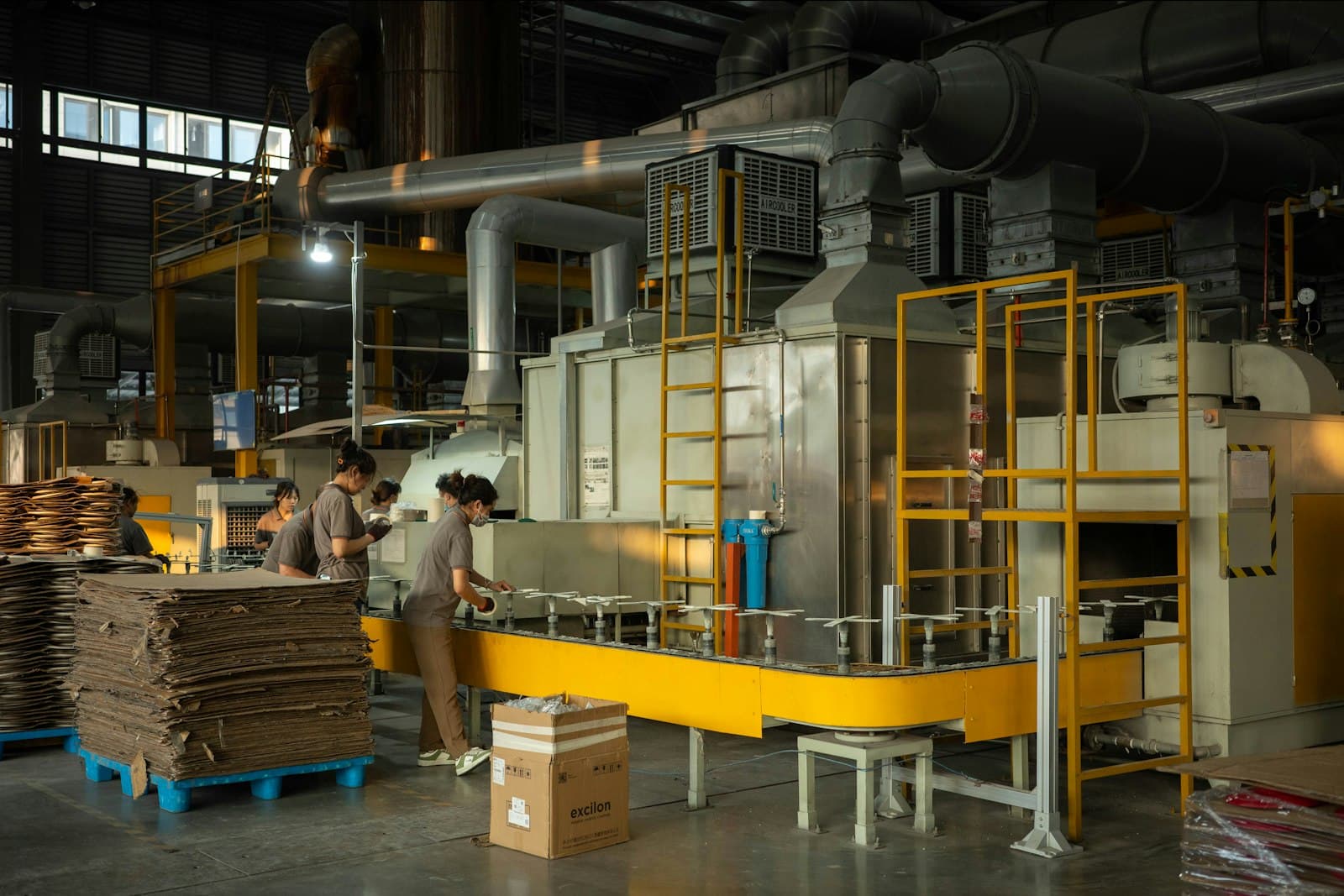
A packaging or print unit makes nothing to stock. Every job belongs to one client, one artwork and one quantity, and most of the money is decided before the first good sheet comes off the press: in the board or film chosen, the number of ups on the sheet, the make-ready allowed for, and the rate per thousand quoted. When a job loses money, the cause is usually somewhere between the quote and the floor, and nobody recorded it.
This guide covers what a system for this kind of plant has to manage, how a job moves through it, and what to check before choosing one. It is written for owners, production heads and planners at carton makers, flexible packaging converters, label printers and commercial print units.
Quick answer
ERP software for packaging and printing manufacturers ties each job to its approved artwork revision and its plate or cylinder set, issues board, film, paper and ink to the job by reel or lot, records make-ready waste apart from running waste at printing and every conversion step, follows lamination or die-cutting sent to job work, and closes each job with its actual cost against the per-thousand quote.
Why packaging and print units need a manufacturing ERP
A general ERP sees a packaging job as a sales order, some purchases and an invoice. It does not see the things that decide whether the job made money: how many sheets went into make-ready on the press, how much film was lost at lamination start-up, how many reels were part-used and returned, whether the die-cutter ran at its rate. Those are floor records, and in most units they sit on job cards and in the supervisor's head.
The other pressure comes from clients. FMCG and pharma buyers expect the printed pack to match the approved artwork every time, and they expect a complaint to be answered with the job, the substrate lot and the inspection behind it. A unit that keeps artwork approvals in email and production on paper finds both hard. That is why packaging units usually need ERP and MES (manufacturing execution) on one record: the job, its material, its waste and its checks together.
Common challenges in packaging and printing
- The wrong artwork reaches the press. A repeat order is run from the old plate set because the revision changed in an email thread the press room never saw.
- Make-ready hides in the total. Setting waste and running waste are counted together, so nobody can tell whether short runs, a particular press or a particular operator is the problem.
- Reels go missing on paper. A reel is issued, half of it comes back, and the stock register still shows either a full reel or none.
- Conversion losses are not counted. Lamination, die-cutting, slitting and folding-gluing each lose material, but only the final count is written down.
- Job work is out of sight. Sheets go out for lamination or foil stamping on a challan and come back short, and the shortfall is found at dispatch.
- The quote per thousand is never checked. Jobs are priced on a cost sheet, and the actual substrate, ink, waste and machine hours are never added up against it.
What should a packaging ERP system include?
The list below follows a job through the plant. Each item should be handled on one record, not across separate files.
Job specification and BOM
The specification is the BOM for a packaging job: substrate grade and size, ups per sheet or across the web, inks and coatings, adhesive, laminating film, the die, and the pack-out (cartons per bundle, bundles per shipper). It should be held per client item, so a repeat order starts from the last approved specification rather than from someone's memory.
Artwork revision and plates or cylinders
The job should carry the artwork revision it was approved against, and the plate set or cylinder set made for that revision. When the client sends a new revision, jobs already running stay on the old one, and the next job picks up the new one only after it is approved. Plates and cylinders are expensive and reused, so the record should show which set belongs to which revision and which jobs have used it.
Production planning by machine
Jobs are placed on presses, laminators, die-cutters and folder-gluers against their capacity. Grouping jobs on the same board or the same colour sequence cuts make-ready, so the planner needs to see the queue per machine, not only a list of due dates. A job whose board or plates are not ready should show as blocked before it is released. Production planning in FleekERP places work orders on work centres against capacity and material readiness.
Substrate by reel or lot
Board, film and paper arrive by mill lot or reel number, often with the weight on the reel label. They should be received against that lot, issued to the job by lot, and any unused balance returned against the same lot so the reel's remaining weight or length stays right. Inks and adhesives follow the same rule by batch. See how inventory and lot traceability records issue and return by lot.
Inventory: raw material, WIP and finished goods
Stock has to be known at three points: substrate and inks in stores, printed sheets or reels waiting for conversion (in-house or at a vendor), and finished cartons, labels or pouches packed against the job. Units matter here. Board is bought in kilograms or sheets, film in kilograms and metres, and the finished product is counted in thousands. The system should convert between them by item, so stock and cost read the same quantities the floor uses.
Shop-floor execution and waste
Operators record good counts, make-ready waste and running waste as separate reasons, and downtime with a cause, against the job and the machine. This applies at printing and at every conversion step: lamination, die-cutting, stripping, slitting, folding and gluing. Without it, the only waste figure is the difference between sheets issued and cartons packed, and it cannot be acted on.
Quality against the approved sample
Print checks happen at the press: colour against the approved sample or shade card, register, text and barcode readability, and the first sheet approved before the run. Conversion has its own checks: lamination bond, crease and cut quality, glue line. A failed check should hold the job until someone decides between rework, use as is, or reject, with a name on the decision. Colour, register and conversion checks are recorded against the job and the machine in quality control in FleekERP.
Job work
Lamination, UV coating, foil stamping, embossing and sometimes die-cutting go to outside vendors. The vendor step should sit on the job's routing in sequence, with the challan out, the count back and any short return flagged on the job.
Dispatch
Finished goods are packed to the client's pack-out, counted in thousands, and dispatched against the order with a delivery note. Clients often accept a quantity tolerance either side of the order, so the system should record what was actually shipped against what was ordered.
Cost per job and per client
Substrate and ink at the cost of the lots issued, make-ready and running waste, machine hours, job work charges, added up on the job and then per client. Set against the quoted rate per thousand, this shows which jobs and which clients make money.
How a job moves through a packaging unit
A carton plant, a flexible packaging converter and a label printer each have their own machines, but most jobs follow this sequence. The step-by-step guide to the packaging and printing process follows one carton through each stage.
- 1Order and artworkThe client's order is entered with the approved artwork revision, substrate, quantity and date.
- 2Job specificationSubstrate, ups, inks, coatings, die and pack-out are fixed on the job.
- 3PrepressThe plate or cylinder set for that revision is made or pulled from store and recorded on the job.
- 4Material planningBoard, film and ink needs are checked against stock by lot and open purchase orders.
- 5PrintingMake-ready and running waste, counts and downtime recorded per machine. First sheet approved against the sample.
- 6ConversionLamination, die-cutting, slitting or folding-gluing, each with its own waste, in-house or at a vendor.
- 7InspectionFinished goods checked against the approved sample and released or held.
- 8DispatchPacked to the client's pack-out and shipped with a delivery note, and the invoice passes to the accounts package.
What is the difference between ERP and MES in a print unit?
ERP holds the business side: the client order, purchases of board and film, stock, dispatch, invoicing and cost. MES holds what happens at the machine: which job ran on which press, how many sheets went into make-ready, how many good sheets came off, why the laminator stopped, what the colour check found. In packaging the two meet on every job, because the job's cost and the client's complaint both depend on floor records.
Some units buy an ERP and try to get press data in later. Others choose one system for both, so a job's waste and its cost are not two numbers that never agree. The test is simple: when an operator records make-ready waste on the press, does it reach the job's cost without anyone typing it again?
How FleekERP supports packaging and printing manufacturers
FleekERP is a manufacturing ERP and MES built around work orders, operations, lots and inspections. For packaging and print units, the job carries the artwork revision it was approved against, and the plate or cylinder set is recorded against the job and that revision. A later revision does not change a job already running. Reels and sheets are issued to the job by lot, and the unused balance comes back against the same lot.
Operators record make-ready and running waste as separate reasons at printing and at each conversion step, including lamination, die-cutting and pasting, along with counts and downtime per machine, on Android phones. Waste is recorded in the unit the operation runs in and converted for the cost report. Job work goes out and comes back on a challan. Substrate, ink, machine hours and job work roll up per job and per client, next to the estimate. Accounting stays in Tally or Zoho, which FleekERP syncs with.
Some limits matter for a print floor in particular. It does not keep the books. There is no barcode or QR scanning today, so reel labels are not scanned at issue. The apps need a data or Wi-Fi connection. Press counters and machine data are on the roadmap, so counts are logged by the operator. The interface is in English, with Tamil and Hindi in development. Artwork files and proofing stay in your prepress tools; FleekERP records which revision a job runs. FleekERP at a glance lists these in full.
Implementation considerations
- Start with the clients and items that repeat most, not every specification you have ever printed.
- Get the live artwork revision and plate set right for each of those items before go-live.
- Agree the waste reasons with the press and conversion supervisors, with make-ready and running waste kept apart from day one.
- Load opening stock reel by reel, with the current weight, so the first issues and returns are right.
- Train press and conversion operators at their machines, on real jobs, one machine group at a time.
The guide to implementing ERP in a packaging and printing unit covers the stages and the data to prepare.
Business benefits
What a packaging unit gains follows from having job, material, waste and checks on one record, made when the work happens:
- The press runs the approved revision, and a repeat job cannot pick up an old plate set unnoticed.
- Make-ready waste shows by machine, job length and operator, separate from running waste.
- Reel balances that match the rack, because part reels come back against their lot.
- Short returns from lamination and foil vendors caught on the job, not at dispatch.
- The actual cost of each job, and of each client, set against the rate per thousand that was quoted.
How much each of these is worth depends on where the unit starts. A plant already recording waste by job will see less change than one where the job card goes into a drawer.
Frequently asked questions
Why does a packaging unit need MES as well as ERP?
Because most of a job's cost and most client complaints come from the floor. ERP holds orders, stock, purchases, dispatch and invoicing. MES records make-ready and running waste, counts, downtime and checks at each machine. Both need to sit on the same job, or the waste never reaches the cost.
What should a packaging ERP record against each job?
The approved artwork revision, the plate or cylinder set, the specification (substrate, ups, inks, die, pack-out), the substrate and ink lots issued and returned, make-ready and running waste at each operation, job work challans, inspection results, the quantity dispatched and the actual cost against the quote.
How should reels be handled in a packaging ERP?
Each reel is received by lot with its weight, issued to the job by lot, and any unused balance is returned against the same lot. That keeps the reel's remaining weight right and links the job to the substrate it used.
Does FleekERP scan reel labels or read press counters?
Not today. There is no barcode or QR scanning, so reels are picked by lot from a list, and machine data is on the roadmap, so operators log counts and waste on their phones. The apps also need a data or Wi-Fi connection.